How to Download Amazon Product Videos (Without Screen Recording)
Download Amazon product videos with AmzDL first — one-click MP4 from the listing. Why the need exists, step-by-step screenshots, then other methods and their drawbacks.
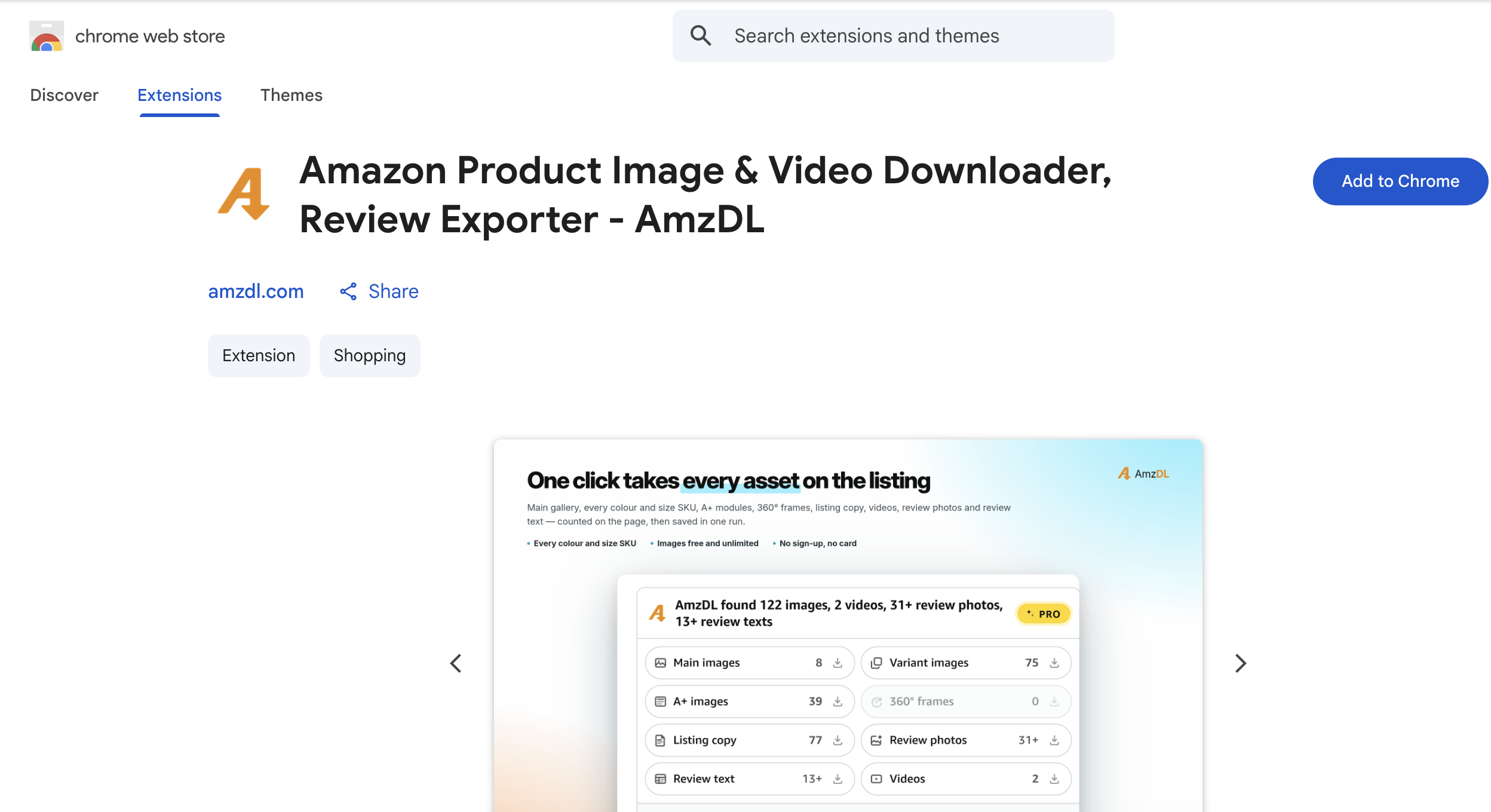
If you have ever tried to save a product video from an Amazon listing, you already know the pain. The player loads, the clip looks useful, you right-click expecting a “Save video as…” option — and nothing useful appears. Most product videos are adaptive streams, not a simple .mp4 next to the gallery.
The fastest fix is AmzDL — a Chrome extension built for Amazon product pages. Install it, open a listing with video, and save a real MP4 in one click.
Use AmzDL to download Amazon Product Video · Full toolkit on the Best Amazon Image & Video Downloader homepage.
Method 1 (recommended): Download with AmzDL
AmzDL handles Amazon catalogue media: high-resolution images, product videos as real MP4 files, and review export (including review photos on Pro). You work on the product page itself — no DevTools, no paste-the-URL sites, no screen recording.
To get the video workflow: Use AmzDL to download Amazon Product Video from the Chrome Web Store, pin the icon, then open a listing that includes brand or product video. Prefer Edge? You can still add AmzDL from the Chrome Web Store on Chromium-based Edge.
What makes AmzDL different
-
Built for Amazon product pages — not YouTube-style generic downloaders. Gallery, variants, A+ modules, and product video in one pass. Feature list: AmzDL product homepage.
-
Stream → real MP4 — reassembles what the page plays at source quality, without player chrome. That is one-click Amazon product video download with AmzDL.
-
Images + video + reviews — research rarely needs video alone. Free tier covers unlimited images; Pro unlocks video and deeper review tools. Plans: AmzDL pricing.
-
Runs in your browser — detection and download stay on the tab you already opened. Media saves through the normal browser download flow.
Step-by-step
-
Install the extension
Open the store listing and download Amazon product videos with AmzDL. Add it to Chrome (or Chromium-based Edge), then pin AmzDL to the toolbar. -
Open a product page that has video
Navigate to the ASIN as usual. Confirm the video plays in the marketplace player — if there is no video module, no tool can invent one. -
Launch AmzDL on that tab
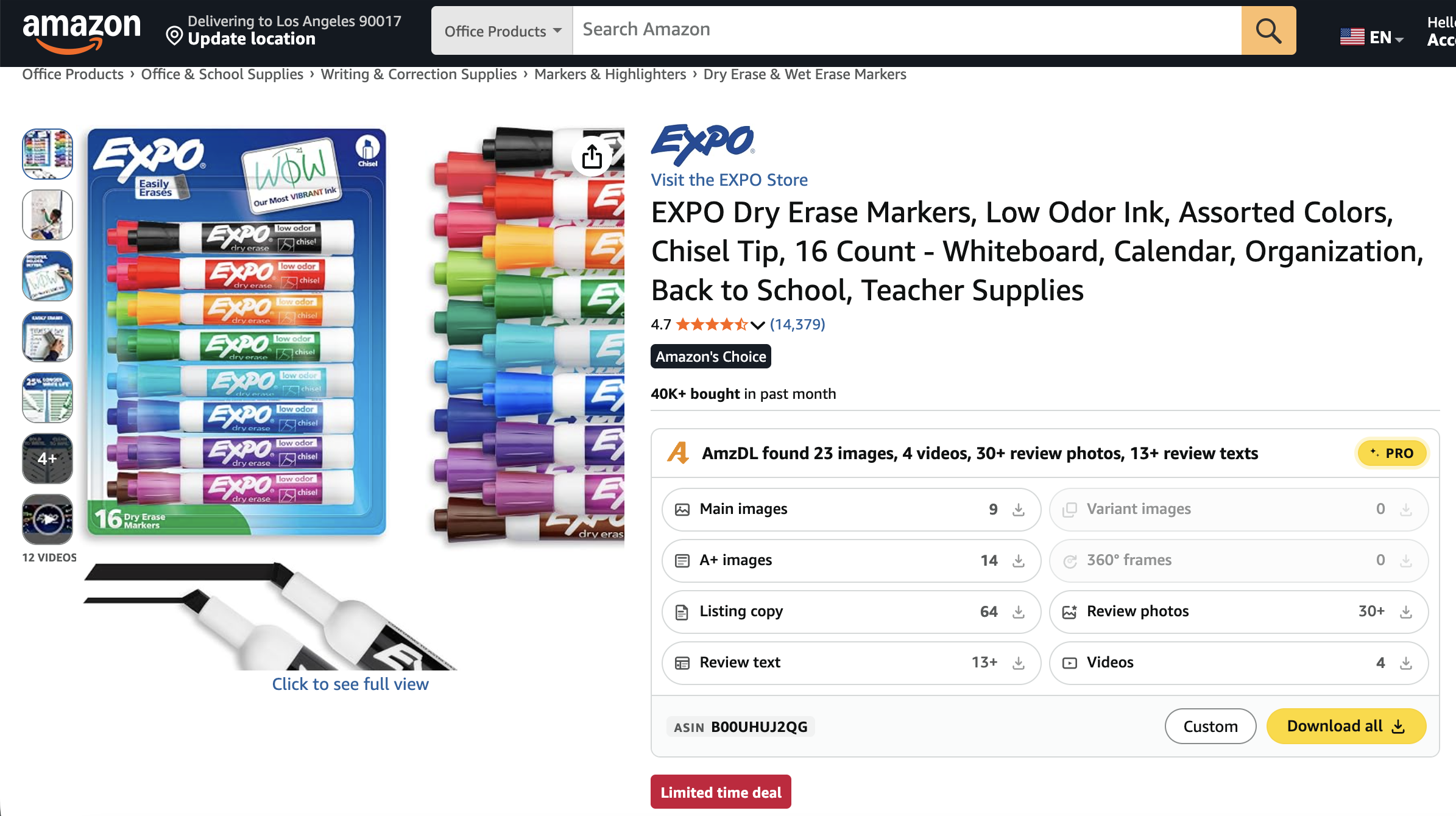
Click the toolbar icon. The extension scans the listing and lists available media (images, video when present, Pro-gated review tools).
- Select video and download
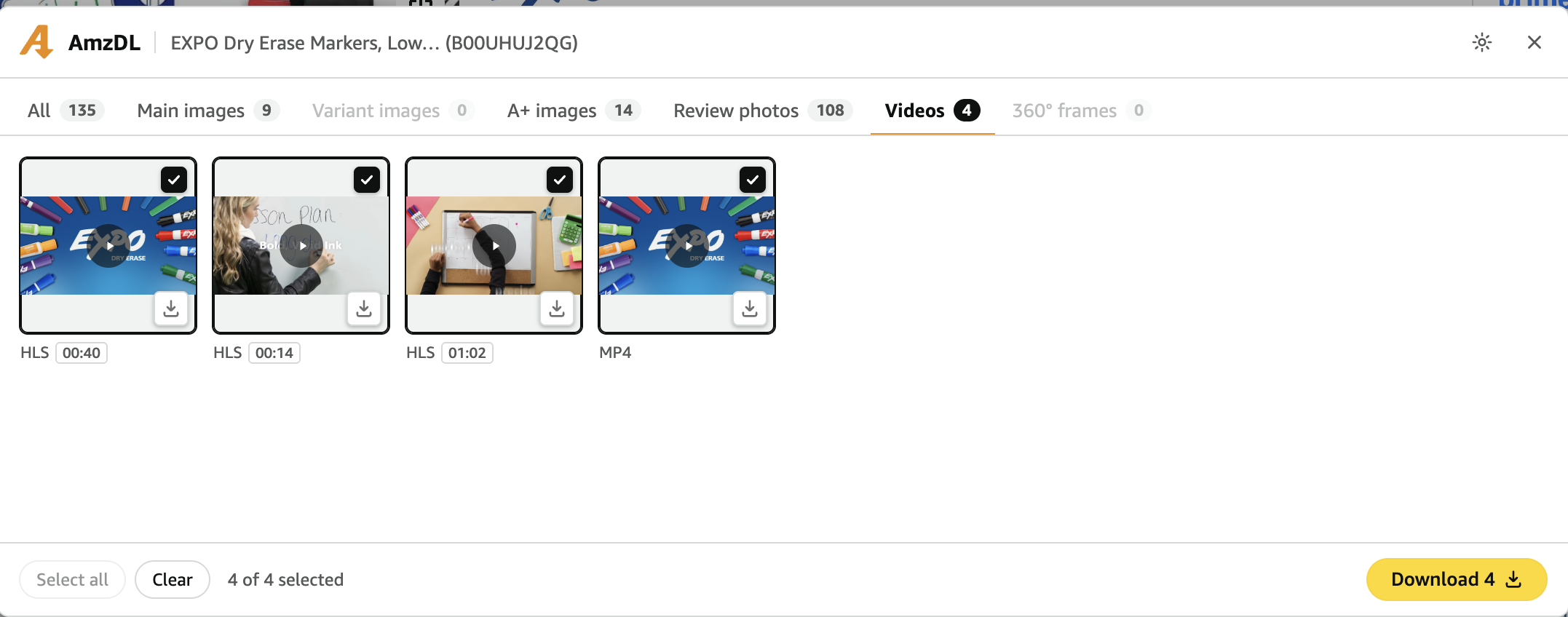
Choose the product video (or bulk-download images in the same pass). Wait for the browser to save a real.mp4.
- Find files in an ASIN-organized folder
Assets land in a tidy structure you can drop into a teardown folder or DAM intake path.
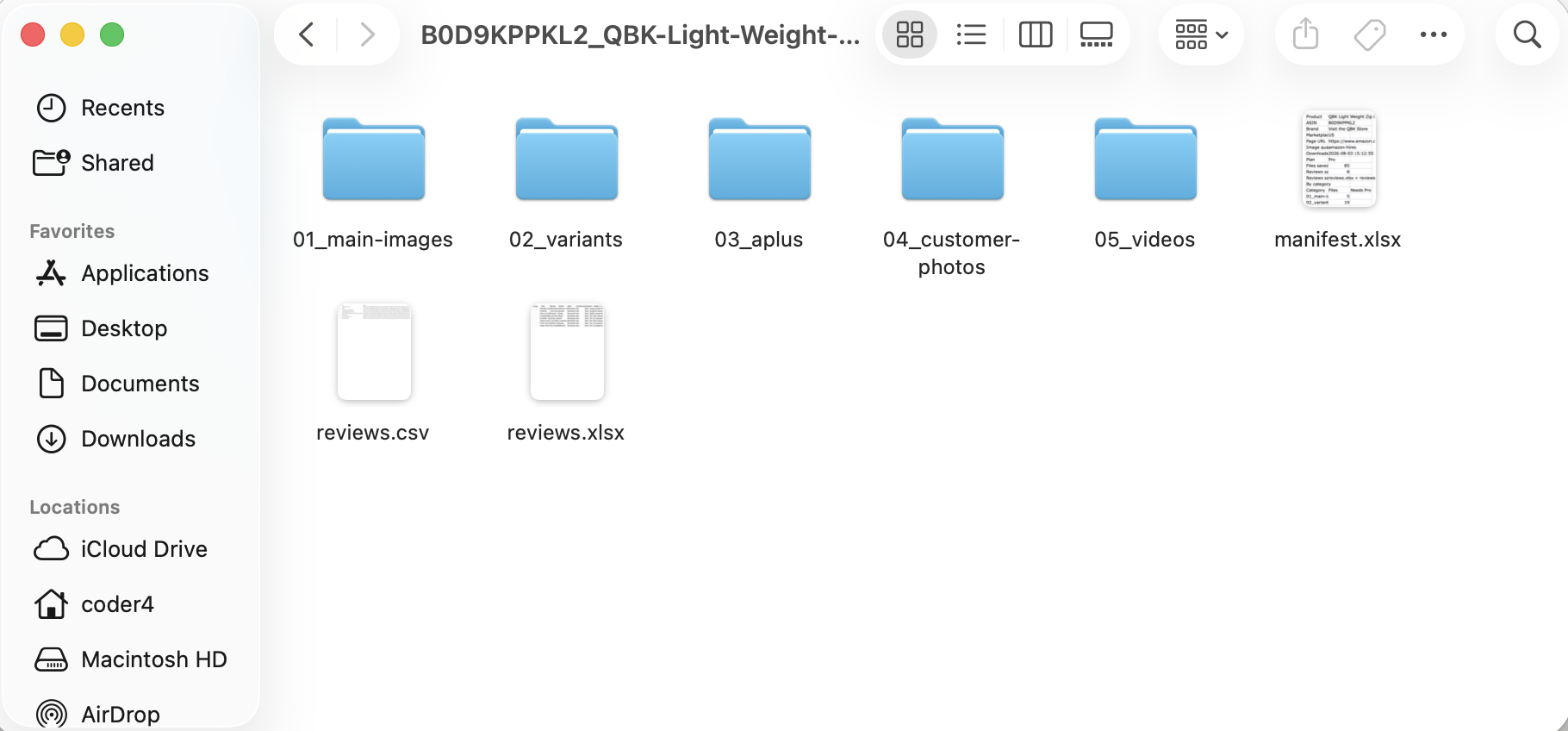
- Repeat across ASINs
Open next competitor → click AmzDL → save. Bookmark the Best Amazon Image & Video Downloader for your team.
Quick tips
- Prefer the full product page, not a truncated mobile share view.
- Let lazy-loaded video modules finish rendering before you download.
- Pair video with HD images in the same session.
- Use offline copies for research, your own brand backups, and legitimate internal workflows — not to re-upload someone else’s branded video as your listing.
- Scope is product-page commerce media, not Prime Video / entertainment titles.
Why teams need these videos offline
Product video is no longer optional creative. Brand videos, A+ modules, and creator-style clips often carry the clearest demo of size, fit, unboxing, or use-in-context. Offline files show up in:
- Competitive research — hooks, pacing, demo angles across ASINs.
- Listing rebuilds — Shopify, TikTok Shop, or retail often starts from assets already on the Amazon page.
- Training and QC — “what the listing claims vs what buyers see,” including video claims.
- Creative reference — source-quality files beat a phone video of a monitor.
- Catalogue scale — one ASIN is annoying; forty is a full afternoon if every step is manual.
The job is repeatable capture of product media without standing up a scraper — exactly what the Amazon product media toolkit on AmzDL is for.
Why “just download it” fails
The page is a player, not a file browser:
- Rarely a clean
.mp4URL in the HTML. - Segmented streams; generic tools grab fragments or fail.
- Marketplaces and layouts differ; brittle scripts break after UI refreshes.
- Brand / product / creator video sit in different slots.
- Screen recording adds compression, UI chrome, and wrong aspect ratios.
That is why random “video downloader” sites disappoint — and why a listing-aware extension beats a generic tool.
Method comparison
| Approach | Real MP4 quality | Effort per ASIN | Works for non-engineers | Images + reviews in same flow | Ongoing cost / risk |
|---|---|---|---|---|---|
| AmzDL Chrome extension | High (stream → MP4) | Very low | Yes | Yes | Free images; Pro unlocks video |
| Screen recording | Medium | High | Yes | No | Time sink at scale |
| DevTools + ffmpeg | High (if done right) | High | No | No | Fragile; skill required |
| Online paste sites | Low–medium | Medium | Yes | Rarely | Privacy / malware / flaky |
| Scraping APIs | High (when maintained) | Low after setup | Needs eng | Custom only | Monthly + maintenance |
Bottom line: start with AmzDL. Use the methods below only if you have a special constraint.
Already convinced? Use AmzDL to download Amazon Product Video.
Other methods (and their drawbacks)
Method 2: Screen recording (QuickTime, OBS, browser capture)
How it works: Play the product video full screen and capture the display.
When it is “good enough”: One-off internal notes or rough storyboards.
Drawbacks: Quality is capped by your display; marketplace chrome often appears; audio desync and multi-monitor crops are common; naming stays manual at scale; no gallery images / A+ / reviews in the same pass.
Screen recording is a workaround for a missing file, not a media workflow. For client decks, prefer a real MP4 from AmzDL’s product video download.
Method 3: Browser DevTools + m3u8 / ffmpeg
How it works: Network tab → find playlists → reassemble with ffmpeg or an HLS tool.
When it works: You are comfortable with developer tools and session URLs stay valid.
Drawbacks: Steep learning curve; short-lived or session-tied URLs; you pick renditions yourself; no ASIN folders unless you build them; breaks when player endpoints change.
Fine for internal tooling. Poor default for everyday catalogue work.
Method 4: Online “paste product URL” sites
How it works: Paste a listing link into a third-party site that claims to fetch videos.
Why people try it: Zero install.
Drawbacks: Uneven reliability (many tools target YouTube-style pages); incomplete quality; privacy risk handing ASINs to unknown parties; no bulk workflow; harder to justify internally than an extension you control.
If a site promises everything for nothing, treat it as a last resort. Transparent alternative: the Chrome extension for Amazon images and videos.
Method 5: Scraping APIs and custom crawlers
How it works: Paid data APIs or Playwright/Puppeteer pipelines at scale.
When it makes sense: Thousands of ASINs on a schedule, with engineers already staffed.
Drawbacks for everyone else: Cost scales with volume; DOM and anti-bot changes mean maintenance; overkill for “this listing’s video as MP4 today”; context-switch away from the product page.
APIs are infrastructure. Most people need a product-page tool — see AmzDL’s pricing and free image plan.
Who gets the most value from AmzDL
- Amazon sellers and brand managers collecting competitor creative and refreshing asset libraries.
- Agencies delivering organized multi-ASIN audits, not Zoom recordings of a browser.
- Ecommerce designers and editors who need reference motion without a scrape stack.
- Researchers and analysts who export reviews on Pro and want video context beside star patterns.
If you only needed a still of a play button, a phone camera would do. People who search this topic need repeatable files — the gap filled by the Chrome extension for Amazon images and videos.
Putting it all together
Downloading Amazon product video is a common workflow problem created by how modern product pages stream media. You can record the screen, wrestle HLS in DevTools, trust opaque paste sites, build scraping infrastructure — or install a purpose-built extension and finish on the listing.
For most sellers, freelancers, and ecommerce teams, that last option is the default:
- Use AmzDL to download Amazon Product Video — install and pin
- Open a product page with video
- Click AmzDL → save the
.mp4 - Optionally grab HD images and (on Pro) reviews in the same pass
When you need the full media pack, the Best Amazon Image & Video Downloader covers images, video, and reviews — or jump to AmzDL free vs Pro plans after trying free images.
Catalogue work is already hard enough. Your video step should take one deliberate click: save Amazon listing videos as MP4 with AmzDL.